

Introducing the AI LinkedIn Post Generator
Whitefriar now drafts LinkedIn posts with you: one post from a topic, a reaction to today’s news, or a whole month of posts scheduled in one go. You keep the final say on every word.
Two Ways to Start
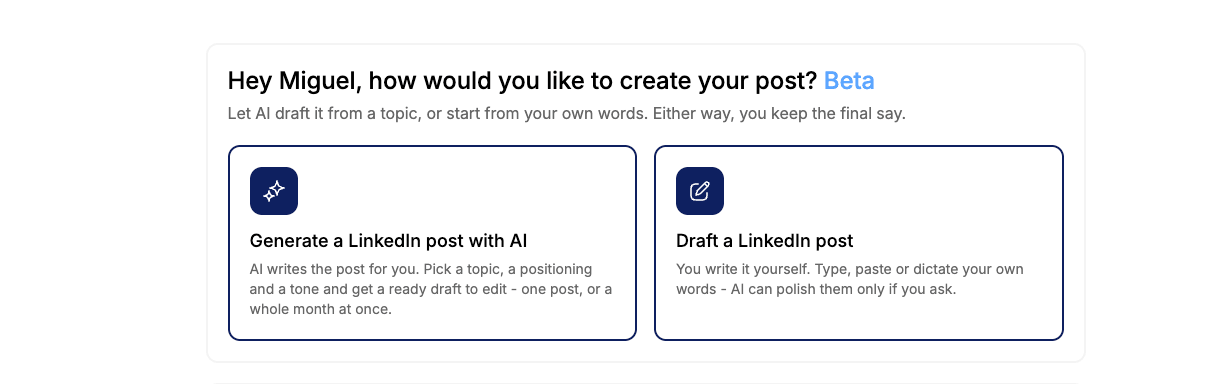
Open LinkedIn in your dashboard and choose how you want to work. Let AI draft the post from a topic, or start from your own words.
- Generate with AI: pick a topic, a positioning and a tone, and get a ready draft to edit
- Draft it yourself: type, paste or dictate your own words, and AI polishes them only if you ask
- One post at a time, or a whole month at once
Three Kinds of Post
Tell us what you want to write and the generator shapes the draft around it.
- Something about an event: a promotion, a conference, an announcement or a milestone
- A thought leadership post: your point of view on one of your content pillars, or a topic of your own
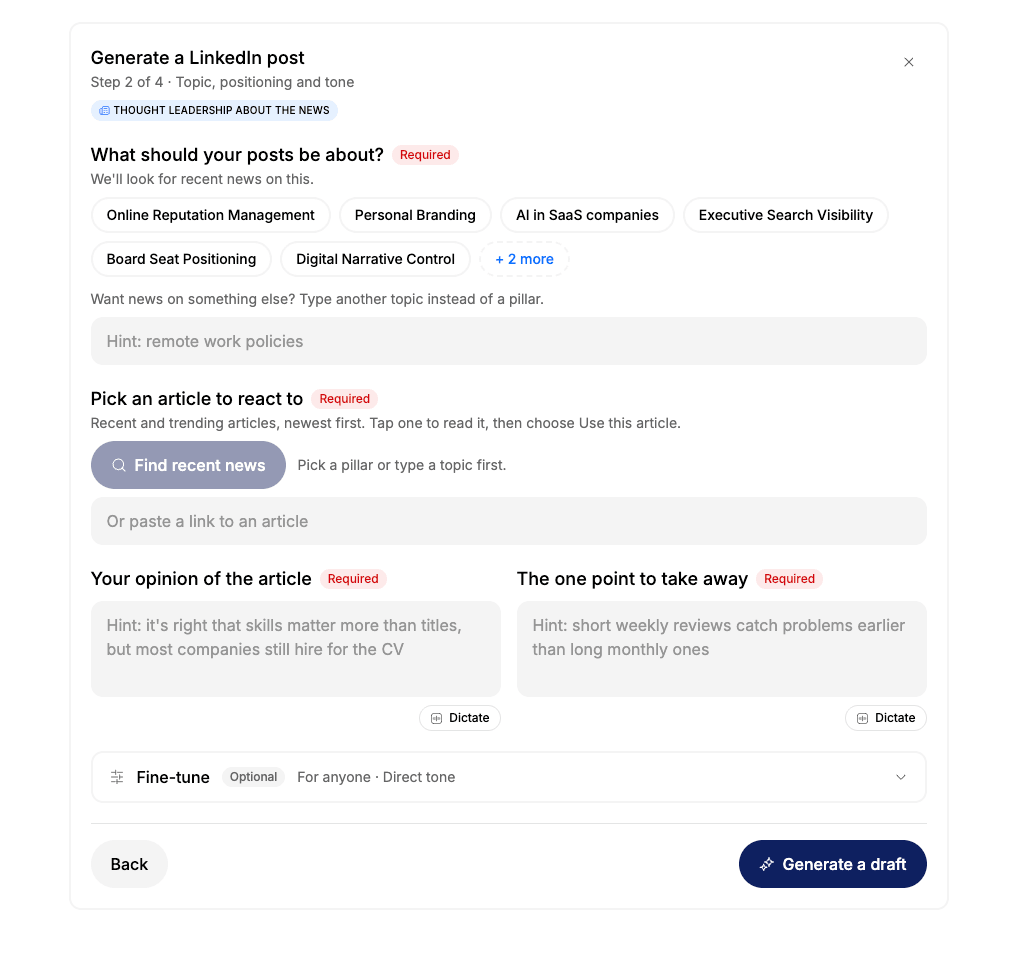
- Thought leadership about the news: your reaction to a trending article in your industry
React to the News in Minutes
Thought leadership about the news turns a trending article into a post with your view on it.
- Pick a content pillar or type any topic, and we find recent and trending articles on it
- Read an article and use it, or paste a link to one you already have
- Add your opinion and the one point to take away, typed or dictated
- Fine-tune the audience and tone, then generate the draft
A Whole Month of Posts at Once
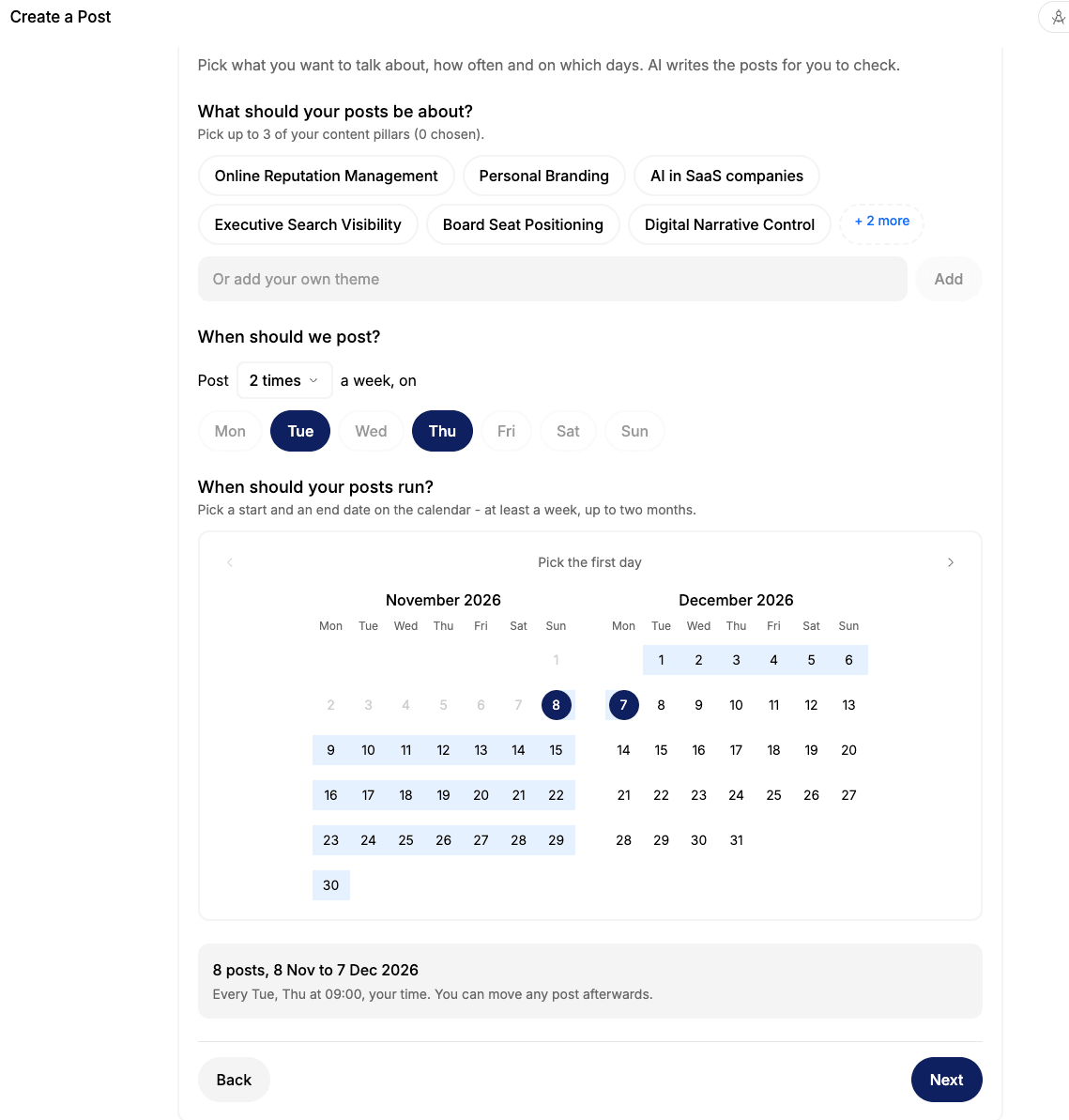
Plan your LinkedIn for the weeks ahead in one sitting. AI drafts every post for you to check, then schedules them all.
- Choose up to three of your content pillars, or add your own theme
- Set how often to post and on which days
- Run a plan for anywhere from one week to two months
- Review every draft, move any post, then schedule them all at once
You Keep the Final Say
Nothing posts without your approval. Every draft is yours to edit, and the AI Post Generator is available now in beta in the LinkedIn section of your Whitefriar dashboard.